
Server migration with dd over SSH
Every so often I want to migrate a server "whole", as if I were pulling the disk out of the old server and plugging it into the new one. This is not only very convenient (no need to migrate each application's data individually), it is often faster than a manual migration.
In the post "Server snapshots with dd over SSH" I already wrote about how nicely dd-over-SSH can be used to create snapshots. This post documents how to do entire server migrations the same way.
We use zstd (Zstandard) for compression — a lossless compression algorithm developed by Facebook that already hits a fantastic ratio between compression rate and resource usage with its defaults. Compression speeds up the transfer especially when the disk isn't full.
Prerequisites
We have two systems: Server A (old system, example IP: 10.10.10.1) and Server B (new system, example IP: 10.20.20.2). They may be physical or virtual. At least one system must be directly reachable from the other (no NAT, or NAT with port forwarding). Both have their disk available at /dev/sda — if not, adjust the commands accordingly. The old server's disk must be exactly the same size as or smaller than the new server's disk. Both systems must be booted into a rescue system / live system (USB or similar). An SSH connection as root must be possible.
Basics
On both systems (live / rescue system), the binaries dd, zstd and pv must be available. On Ubuntu and Debian, dd is part of the coreutils package. zstd and pv can be installed with sudo apt install zstd pv.
Variant 1: Migrating from the new system
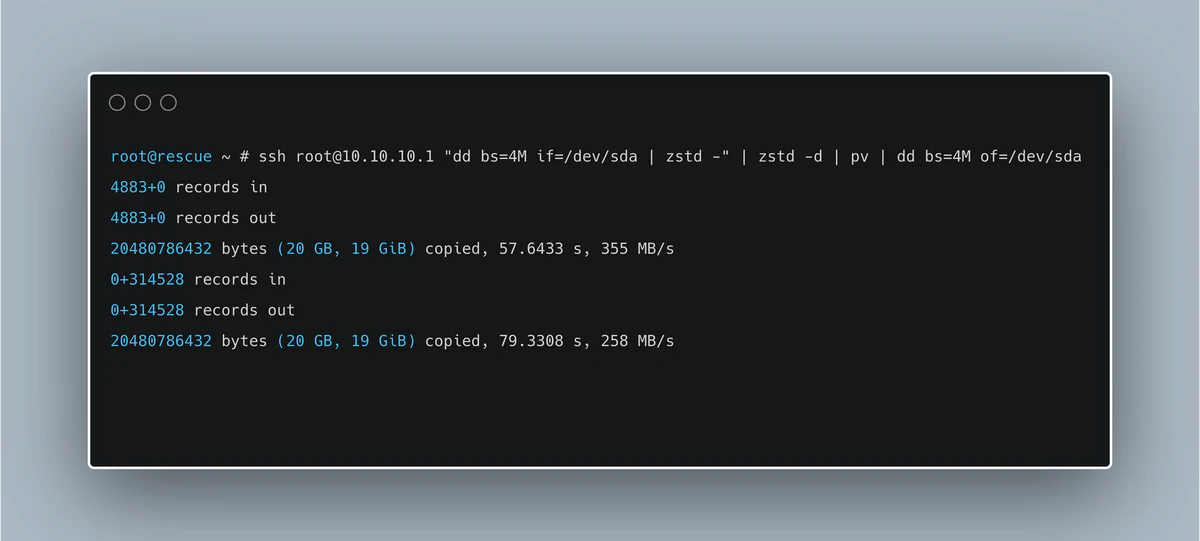
ssh root@10.10.10.1 "dd bs=4M if=/dev/sda | zstd -" | zstd -d | pv | dd bs=4M of=/dev/sda
This opens an SSH connection to the old server. There, the disk /dev/sda is read with dd and the stream compressed with zstd. The stream is transferred over SSH and decompressed on the new system. pv shows progress (see screenshot). Finally the data is written to /dev/sda with dd.

Variant 2: Migrating from the old system
The principle on the old system is the same, just in the opposite direction (and the command looks slightly different):
dd bs=4M if=/dev/sda | pv | zstd - | ssh root@10.20.20.2 "zstd -d | dd bs=4M of=/dev/sda"
Variants
If no progress indicator is needed, pv can be dropped.
If no compression is wanted, the zstd pieces can be removed. Especially when the disk is not completely full, compression pays off even with good bandwidth (e.g. 2.5 Gbit) between the systems — at least in my experience.
Post-migration steps
After the migration, a few things usually need to be adjusted on the new system. Depending on the configuration, this may include:
- DNS servers: provider-specific DNS servers that are not reachable outside their network may be configured
- IP addresses: if no DHCP is used, the IP address, subnet mask, gateway, … need to be updated
- Interfaces: depending on the drivers, the interface name may differ
- fstab: if
/etc/fstabdoes not use UUIDs and the disk name has changed (e.g. fromsdatovda), update it - Partitions: if the new system's disk is larger, it can easily be grown afterwards, for example with gparted
These adjustments can still be made from the rescue system on the new machine. fdisk -l lists disks and partitions. The relevant partition can be mounted with mount /dev/sda1 /mnt and unmounted again with umount /mnt once the changes are done.
After a reboot (without the rescue system active) the system should start up normally. I've heard about cases ending in a "kernel panic", but across at least 50 systems migrated this way, across various providers, I've never run into that — it really seems to be rare.